



The best live chat app depends on your stack and budget. Crisp has a genuine free plan and per-workspace pricing, Intercom starts at $29/seat with its Fin AI agent, and Zendesk bundles chat into its $55/agent Suite. For Shopify stores, the deciding factor is usually ecommerce integration and AI handling, not chat alone.
In this guide I will help you find the best Livechat Tool to use for your business in 2026.
Short answer
The best Livechat tools are are:
- If you just want live chat, use Tidio.
- If you are a larger business, I would recommend Zendesk.
- If you need AI phone support for Shopify, use Ringly.io. Plans start at $349/mo with a 65% resolution guarantee: if the AI resolves under 65% of your calls in 90 days, we refund the last 3 months.
Ringly resolves 73% of inbound calls autonomously across 50+ active Shopify brands.
See the TL;DR table below for a quick comparison of all the tools that I tested.
Below the TL;DR table, you will find an in-depth review of every single tool as well.
How I tested each tool: stopwatch from signup → onboarded. I installed the tool on a Shopify store, installed all the basic features, just the ones that I need to get started.
Note: All of these tools cover the basics. I’ll only go over standout features that are unique to each tool specifically.
TLDR of LiveChat Tools
| Platform | Best for | AI Chat / Automation | Shopify App | Starting price* |
|---|---|---|---|---|
| Tidio | Stores that “just want live chat” with solid AI | ✅ Yes | 🟢 Native | From $29/mo (free plan available) |
| Zendesk | Larger businesses leaning enterprise | ✅ Yes | 🟢 Native | From $55/agent/mo |
| Intercom | SaaS & product-led companies | ✅ Fin.AI | 🟢 Native | From $39/seat/mo + $0.99/resolution |
| Gorgias | Shopify brands wanting support tied to revenue | ✅ Yes | 🟢 Native | From $10/mo (50 tickets) |
| Freshdesk | Growing teams needing affordable automation | ✅ Yes | ⚙️ Indirect (ticket creation) | From $15/agent/mo |
| LiveChat | Conversion-focused live chat across channels | ✅ Yes | 🟢 Native | From $20/agent/mo |
| Help Scout | Small, medium stores wanting simple, scalable support | ✅ Yes | 🟢 Integration | From $20/user/mo |
| Crisp | Budget all-in-one omnichannel support | ⚙️ Basic bot | 🟢 Native | 14-day free trial; paid from $25/seat/mo |
| Ringly.io | Shopify stores needing AI phone support | 🤖 AI phone agent | 🟢 Native | Results-based (pay once AI ≥65% resolution) |
1. Zendesk: battle-tested enterprise support tool
Best for larger businesses that are leaning toward enterprise.

How it went when I tried setting up Zendesk:
After signup they will guide you through all the steps required to get started. They immediately ask for your website to start training the AI agent.
After that, you will be guided through a demo ticket resolution, which was very helpful. Especially since the dashboard is a bit more complicated.
When using Zendesk over a period of 2 weeks, I mostly felt that I was not using most of the features.
So if you are a smaller to medium-sized ecommerce brand, I would not recommend this tool for you.
The product functions perfectly, though, and there were some things, like the macros feature, that I liked.
The AI agent is also decent, but I would say it is not as capable as some other agents that I have tested. It is mostly for filtering out the really simple tasks.
Signup -> onboarded took me exactly 17 minutes and 51 seconds. In that time, I set up the AI agent, invited my team, and set up all the routing rules for tickets.
Standout Features (pros)
- Scalable
- Older and proven platform
- A big ecosystem with other tools
Pricing starts from $55 per agent per month.
Shopify integration (is available through a native Shopify app that syncs order/customer data into tickets.
Reviews are not the best, on Trustpilot, they only score 1.9 out of 5, but on Capterra, they score 4.4 out of 5.
A common complaint is the lack of support available, billing issues, and people who feel they were misled.
On the flipside, some people say their support and platform are great, so reviews are mixed on several occasions.
Cons
- Difficult to use
- Per agent pricing will get expensive fast
What’s unique about Zendesk is that you will probably never grow out of it.
2. Intercom: proactive, product lead engagement
Best for SaaS and product lead companies.

How it went when I tried setting up Intercom:
You have to start a trial to get access to the platform, but you don’t need to give them your card details. After I signed up, they asked if I had experience using similar tools.
I selected that I did not, and I was sent to a page showing the 5 onboarding steps to get started. I just needed email and chat support.
Setting up the chat was pretty simple. I used the Shopify plugin to add it to my website. Email, on the other hand, is a bit more difficult because you need to set up email forwarding.
But the documentation was very clear and useful, so I did not really have any problems.
The next thing they asked me to set up was their AI agent called Fin. This is a product that they also sell separately. But using it together with Intercom makes it even better in my opinion.
Training the agent is as simple as choosing from templates and adding your knowledge.
Signup -> onboarded took me a bit longer. 16 minutes and 21 seconds, which is mainly because of the large number of features they offer.
And although these features are complex and robust, they make setting them up very accessible.
Standout Features (pros)
- Fin.AI, best AI chat agent available right now
- Best looking UI
- All-in-one solution
Pricing starts at $39/seat per month, and Fin AI is charged per solved resolution. ($0,99)
Shopify integration will sync customer data and trigger messages based on store behavior.
Reviews are pretty good, a 3.1/5 on Trustpilot and a 4.5/5 on Capterra. Most people are happy about the fact that this one platform offers an all-in-one solution.
The negative reviews were mainly about the pricing or their support not being good enough.
Cons
- Pricing, AI resolutions, and seats are way more expensive
- Steeper learning curve
What’s unique about Intercom is that it combines support, sales, and onboarding into one tool. Intercom is not really an e-commerce help desk, but more focused on SaaS and product lead companies.
3. Gorgias: Support built for Shopify
Best for Shopify brands that want a tool built for their e-commerce platform.

How it went when I tried setting up Gorgias:
After the signup, I was led straight to the onboarding. They first ask you to connect your email and Shopify store, which is easy to do, and they have good documentation.
After the setup, navigating the platform was a bit difficult. I think the large number of features can be overwhelming.
What stood out most to me was the convert feature, which is something I have not seen anywhere else.
This feature will keep track of how much money you are making from your support. Every support tool should have this, in my opinion.
Setting up the AI agent was almost no setup at all, after I already connected my Shopify store.
Signup -> Onboarded took me exactly 9 minutes and 43 seconds. You can expect about the same for small to medium Shopify stores.
Standout Features (pros)
- Support profit tracking
- AI Analytics
Pricing starts at $10/month for 50 tickets, and scales according to the number of tickets required.
Shopify integration is native (Shopify app). And syncs customer information like orders and refunds from Shopify automatically.
Reviews are mixed; on Trustpilot, they score 3/5, and on Capterra, a 4.6/5. Most negative reviews focused on the price being too high or complaints about Gorgias' cold outreach.
I could not find a lot of complaints about the quality of the product. But there were quite a few 1-star reviews from people complaining about the in-app support. (A little ironic for a support tool)
Cons
- More expensive per ticket
- Dashboard feels a bit outdated
What’s unique about Gorgias is that it connects support to revenue. And, they are the most popular and proven for Shopify merchants.
4. Freshdesk: Affordable automation for growing teams
Best for growing teams that need a simple solution with automation capabilities.
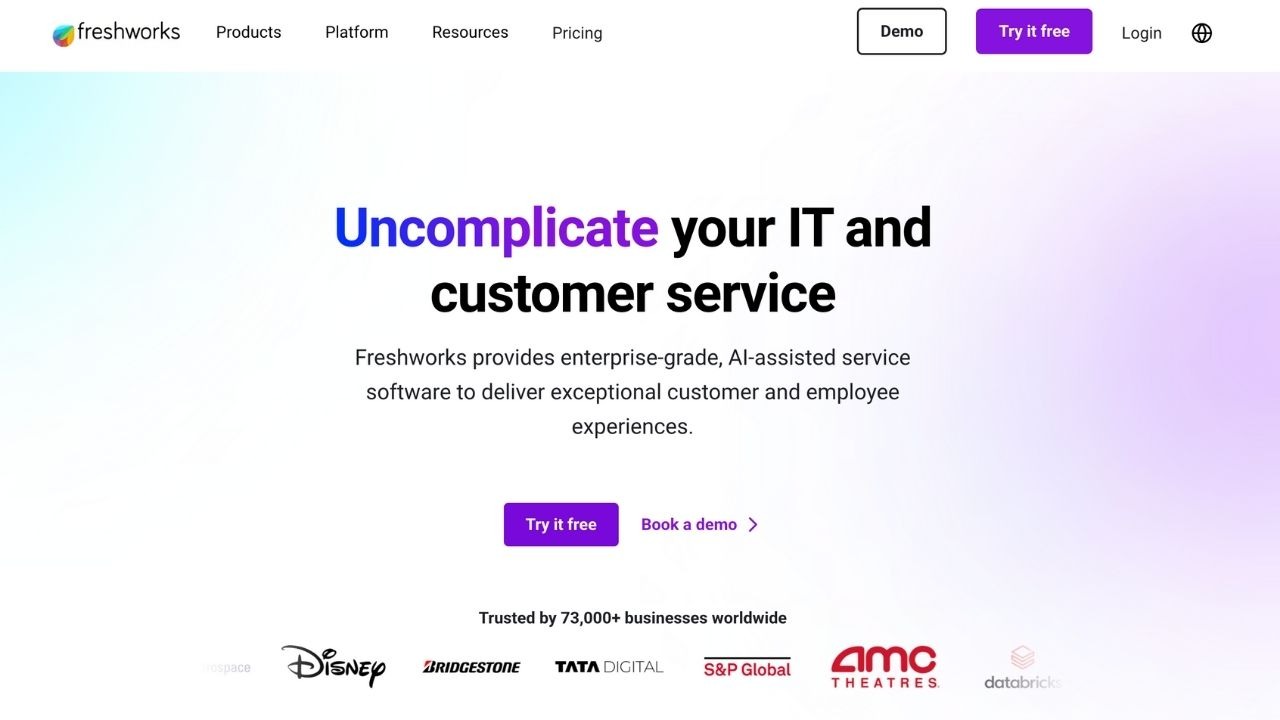
How it went when I tried setting up Freshdesk
After signing up, they immediately ask you if you have used similar helpdesk tools before.
I selected that I did not, and they sent me to a page with step-by-step instructions and videos to help me get started..
They break up the onboarding into 3 steps: connecting your email, getting to know the dashboard, and inviting your teammates.
The only thing I had to do was follow along exactly with these steps.
Their dashboard looks very good and is easy to navigate.
Unlike other tools, they also prefill data fields with dummy data. So it is significantly easier to understand what those features are.
One other thing that stood out that I liked was the confetti visuals every time I succeeded with a step in the onboarding.
Signup -> onboarded took me only 9 minutes and 41 seconds. Their onboarding is one of the best I have seen.
Standout Features (pros)
- Onboarding
- Very good knowledge base that adapts
- Most things are already set up when you give them your website
Pricing starts at $15/month per agent, and they offer a free trial.
Shopify integration is not native, but it does allow ticket creation directly from Shopify.
Reviews are mixed; on Trustpilot, they score a 2.6 /6, and on Capterra, they scored 4.5 /5
Most bad reviews were because of either the product not living up to expectations or claims of bad business practices.
The positive reviews often mentioned the high level of support, and there were also a lot of people that are very satisfied with the product.
In my opinion, most of the bad reviews come across as angry customers who were not really fair in their judgment.
Cons
- Some newer features are a bit chaotic
- Not a lot of customization on the lower tiers
What’s unique about Freshdesk is that they offer enterprise-level automation features for normal non-enterprise pricing, and they are also easy to get started with.
5. LiveChat: basic live chat solution
Best for businesses that want a live chat that is focused on conversion.
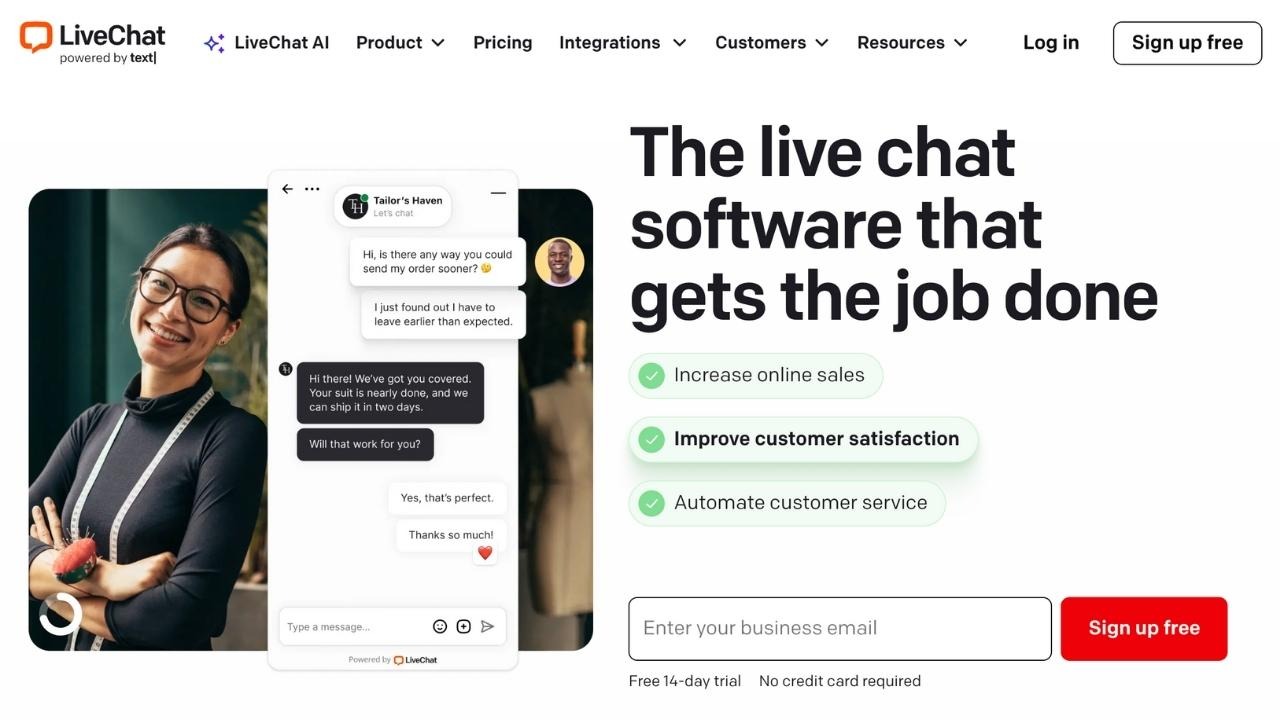
How it went when I tried setting up LiveChat:
Directly after signing up, they asked me to install the code for the live chat in the header, before I even got to the dashboard. I used the Shopify plugin to install that automatically.
After that, they walk you through an onboarding flow. They make you do exercises like answering demo tickets and testing the knowledge of your chatbot. Everything that I set up was also guided by a tour.
The UI looks really good, and I did not have to set much up for the chat feature since that was already installed. So I could immediately start setting up my chatbot and automations.
The chatbot is quite good, especially for e-commerce support. It is also easy to set up because most of it is pre-trained.
There are some features, like custom answers, that are locked for the lower tiers.
After using it for 2 weeks, there were no real flaws. And especially having the options for whatsapp, SMS, and Facebook messaging made me more available to my customers.
And thanks to their insights, I also have a good overview of the status of my CX.
Signup -> onboarded took me only 13 minutes and 59 seconds. This setup included setting up my agent, escalation rules, and adding the live chat to my website.
Standout Features (pros)
- Sales assistance for reps
- UX is good for visitors and reps
Pricing starts from $20 per agent per month. (14-day free trial)
Shopify integration is available with their Shopify app, which will share product links and cards from the Shopify catalog as well as order info.
Reviews are average; they score a 2.8 out of 5 on Trustpilot and a 4.6 out of 5 on Capterra.
Most negative reviews are about the pricing or billing issues, but the reviews about the product itself were generally positive.
Cons
- Mostly focused on chat
- Add-ons will make it more expensive
What’s unique about LiveChat is that they are more focused on conversion and sales in chat support. So you could end up making money from support instead of it costing you money.
6. Tidio: affordable and simple live chat with AI automation
Best for e-commerce stores that just need live chat.

How it went when I tried setting up Tidio:
After the signup, they asked me quite a lot of questions to make sure the experience was customized for my use case. This felt reassuring, and they come up with things that you maybe would not have come up with yourself.
Installing the chat widget is very simple with the Shopify plugin. And it looks much better than some other tools.
Their main feature and the biggest part of why I like Tidio is their AI agent.
It is already pre-trained on your use case, and there are way more features available to get a higher AI resolution rate.
The agent will also become smarter the more you use it.
The ticketing part was also very good, and just ike the chatbot, already customized to my use case. They set up categories for order status and other intents.
Their analytics are also one of the best I’ve used. They give you a clear overview and very good insight into how your team and AI are performing. And, the handoff between those two is almost perfect.
Signup -> onboarded took me only 9 minutes and 34 seconds. In that time, my customized chat widget, AI chatbot, and knowledge base were completely set up.
I also used some of that time to set up what they call ‘flows’, which can be used for sales and support use cases too. During the 2 weeks using this product, this feature was very useful, so I set up some more of these flows afterward.
Standout Features (pros)
- No code chatbot builder
- Mobile app
- Cart abandonment recovery
Pricing starts at $29/month, but they do offer a free plan too.
Shopify integration is a native app that will source customer and order info from Shopify and trigger automations.
Reviews are decent, on Trustpilot, they score a 3.7/5, and people are very enthusiastic in the reviews. But there are also complaints about bad support. On Capterra, they score even higher, with 4.7 stars out of 5.
Cons
- Not a lot of analytics
- Not very scalable
What’s unique about Tidio is that it has really nailed live chat for e-commerce, which is its main focus. No-code ecom chatbots at entry-level pricing.
7. Help Scout: User-friendly, basic support platform
Best for small to medium stores that need a reliable support tool.

How it went when I tried setting up Help Scout:
After I signed up, the only onboarding I got was some explanations of where to find certain features. They also offered me to sign up for a tour, where they walk you through the product.
The layout of the platform differs from others. For instance, the navigation bar is at the top of the screen and horizontal.
The messaging inbox was a bit difficult to oversee compared to other platforms I tested.
So, navigating that part and responding to tickets is not the best, but still pretty solid.
Overall, I did manage to get the platform to function pretty easily. But I can imagine that if you have never used a similar tool before, you would need to schedule a demo to get started.
Signup -> onboarded took me 13 minutes and 14 seconds. Connecting to Shopify was the hardest part. I have not fully set up my documentation yet, just the most basic FAQs. If you don't have that set up already, it will take some extra time to get started.
Standout Features (pros)
- AI features are actually useful, unlike some other platforms
- Included hosted documentation
Pricing starts at $20/month per user.
Shopify integration will give access to customer data and allow AI/human reps to handle everything without leaving Help Scout.
Reviews get a score of 3 /5 on Trustpilot and a 4.4 /5 on G2. Most negative reviews I could find were related to missing features.
Ease of use is the most common positive review theme.
Cons
- Not really special, poor onboarding
- Missing some features that other tools offer
What’s unique about Help Scout is that it is easy to use while still being scalable. Unlike tools like Zendesk.
8. Crisp: a budget all in one solution
Best for medium-sized businesses that need omnichannel support in one tool.

How it went when I tried setting up Crisp:
Immediately after the signup, I was met with an onboarding page with a lot of information and tasks to get done. This was a bit overwhelming. (in total, there were 26 steps)
Adding the chat widget to my website was easy to do with the Shopify plugin. This was also the case for connecting my other channels, such as WhatsApp, email, and Messenger.
The onboarding goes quite a lot further than most other tools. For instance, they make customizing the web widget also a part of the onboarding.
After 2 weeks of using the tool, I was very satisfied with the overall feel of the platform and how the inbox and ticket management are set up. But the chatbot disappointed me.
They give you a template when you build your first chatbot, but the no-code flow builder, which is required to set up a chatbot, feels a bit clunky.
I would have much rather had a tool with a simpler setup, and that was already pre-trained on a specific use case.
Signup -> onboarded took me quite a while, and I did not even finish all of the onboarding steps.
In total, I spent 24 minutes and 23 seconds setting up my live chat and AI chatbot. Plus, training my knowledge base and setting up some automations and routing rules.
Standout Features (pros)
- Generous free tier with unlimited conversations
- Multichannel at a low price
Pricing starts at the free tier, paid from $25/seat per month.
Shopify integration is a native Shopify app that syncs customer info and other shop data with the helpdesk. It will also allow you to connect the web widget more easily.
Reviews are not always positive. On Trustpilot, they only score 1.9 stars out of 5, and on Capterra, they score a 4.6 /5.
People are positive about the help desk and the support they offer, but there were also a lot of mentions about bugs, and people complaining about bad support. So on those topics, people are divided.
Cons
- No advanced analytics
- Feels more “all-in-one” instead of best-in-class
What’s unique about Crisp is that it offers unlimited conversations (with limited functionality) for free. So you only have to upgrade if you want the better features, but you will probably end up doing so.
What to look for in Live chat tool (5 things)
- Make sure the tool you pick connects to your current stack.
- Does the tool offer multiple channels?
- Think of how much of your support AI should handle, and what tool offers that capability.
- Can the tool scale without having to hire more humans?
- Does the pricing model fit with your business?
While deciding, keep your specific e-commerce use cases in mind and make sure the support platform you pick will:
- Make your customers happier (increase CSAT)
- Reduce handle time
- Not cost you a fortune
- Fit your cost module at 2-5x the volume
Also read
Live chat app pricing compared (2026)
Entry pricing varies widely, and the free options are better than many roundups admit:
- Crisp — has a free plan; paid tiers are priced per workspace (not per seat)
- Intercom — from $29/seat/month (Essential), Fin AI billed per resolution
- Zendesk — chat included in the Suite from $55/agent/month
- Gorgias — from $10/month (50 tickets); LiveChat from $20/agent/month; Freshdesk from $19/agent/month
Confirm the current plan on each vendor's site before choosing (verified June 2026).
Live chat apps: common questions
What is the best free live chat app?
Crisp offers a genuine free plan, making it a common starting point for small teams. Several paid tools also offer free trials, but for ongoing free use Crisp is the most cited option.
How much does live chat software cost?
Entry pricing ranges from free (Crisp) to around $20-$29 per seat for tools like LiveChat and Intercom, up to $55/agent for Zendesk's Suite. Per-resolution AI charges can add to the total.



